1. Navigate to Pages: Go to “Pages” in the left-hand menu.
2. Add New Page: Click on “Add New” to create a new page.
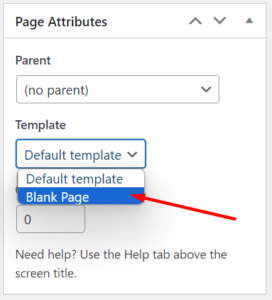
3. Go to “Page Attributes” in the right side and select Template as “Blank Page“.
4. Then using The Divi Builder, create your own page without default header and footer.
Leave a Reply