“WordPress Popular Posts” is a widely used plugin for displaying popular posts in a widget. However, it doesn’t automatically show the views count on posts and pages. To address this, I’ve written a custom code snippet that enables the display of view counts on both posts and pages.
Step-by-Step: Adding View Count to Every Post and Page
Here’s a code snippet you can add to your theme’s functions.php file or a custom plugin to show the view count at the bottom of every post and page:
function add_views_count_to_all_content($content) {
if ((is_single() || is_page()) && is_main_query()) {
$views = do_shortcode('[wpp_views_count]');
$content .= '<div class="post-views-count" style="margin-top:20px;">' . $views . '</div>';
}
return $content;
}
add_filter('the_content', 'add_views_count_to_all_content');Code language: PHP (php)
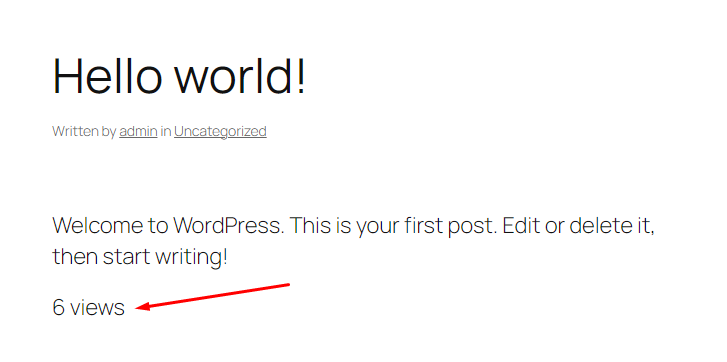
This is how it shows the number of views.
What This Code Does
- It hooks into the
the_contentfilter. - It checks if the current request is for a single post or a page using
is_single()oris_page(). - It uses the
wpp_views_countshortcode to fetch and display the current post’s view count. - It appends this view count inside a
<div>at the end of the content.
Leave a Reply